Appearance
📂 Feature 03: Track Library & GPX Mechanics
NOTE
🧭 Navigation: 🧩 Features Index | 🚲 Wiki Home
The Track Library is the database repository and file processor for all saved cycling paths, user loops, and custom travel folders. It governs spatial data persistence, automatic folder sorting, and high-fidelity importing/exporting of industry-standard GPX files.
🔍 How it Works (Product perspective)
- Seamless Save Flow:
- Once a path is calculated on the map canvas, the user clicks Save Route (Сохранить). A dialog prompts for a title, optional description, and folder tags.
- Catalog and Search Panel:
- Clicking the Library (Мои маршруты) button slides open a high-density, searchable catalog of all saved tracks, showing details like distance badges, elevation profiles, surface types, and date stamps.
- GPX File Imports:
- Riders can drag and drop GPX files (Garmin, Strava, Wahoo) directly onto the map canvas. The system parses the coordinates, interpolates gaps, and draws the route overlay instantly.
- GPX XML Export:
- Clicking Export GPX converts the client-side GeoJSON path on the fly into a standard GPX XML schema. The generated stream contains exact spatial trackpoints (
<trkpt>), elevation tags (<ele>), timestamps, and total cumulative distance metrics, triggering a local browser download.
- Clicking Export GPX converts the client-side GeoJSON path on the fly into a standard GPX XML schema. The generated stream contains exact spatial trackpoints (
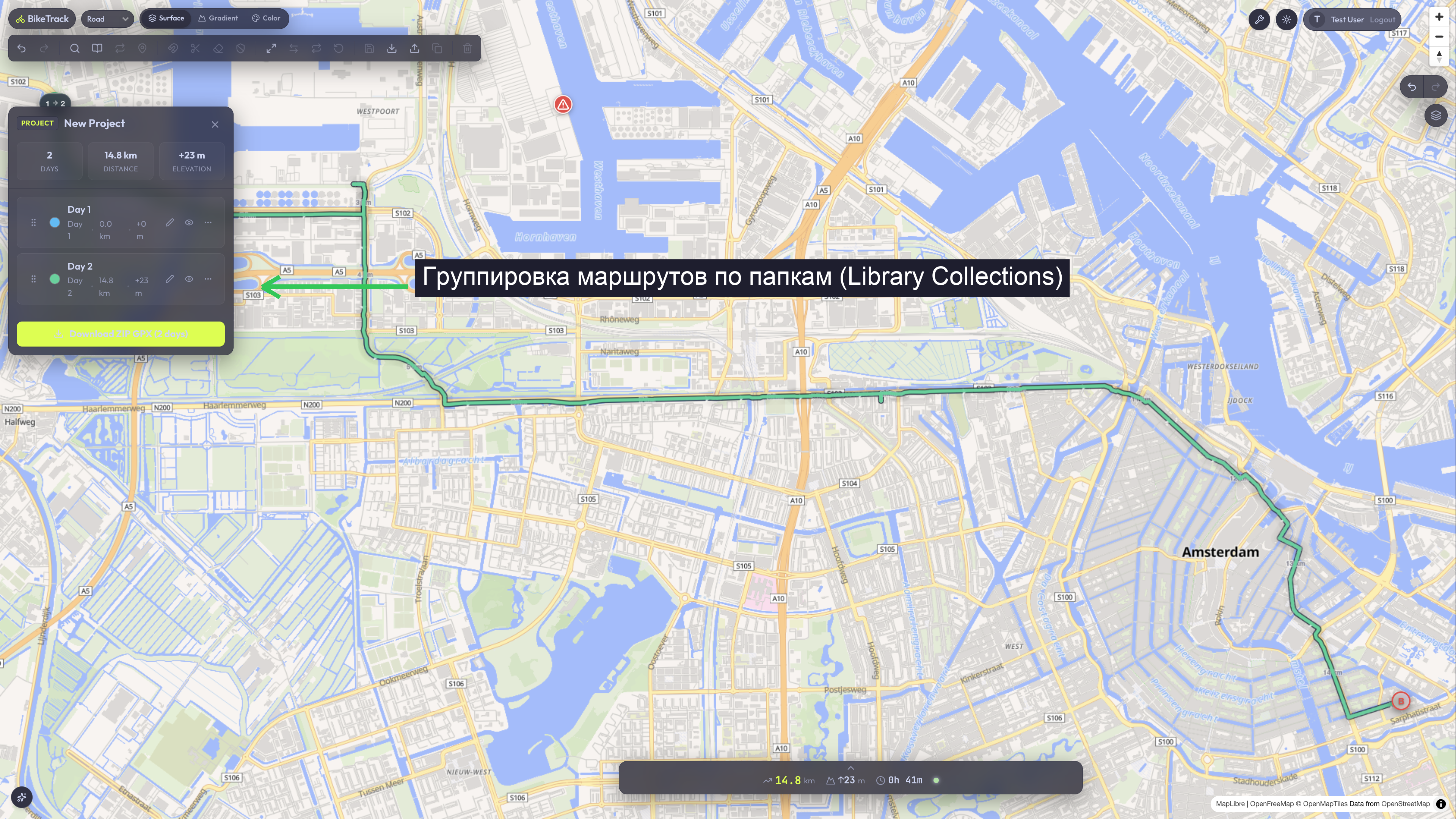
- Collections & Folders:
- Tracks can be grouped into custom colored folders for search, filtering, and organization.
🏗️ Technical Architecture & Key Files
🖥️ Frontend State & UI Components
- UI Widgets:
apps/web/src/features/track-library/(library widgets, list filters, collection managers).apps/web/src/widgets/library-sidebar/&apps/web/src/widgets/library-grid/(dashboard grid layout container).
- Zustand State Store:
useLibraryStoreinapps/web/src/features/track-library/model/libraryStore.ts.- Slice Fields:
tracks: Track[](list of saved tracks loaded from the database).collections: Collection[](folders configured by the user).selectedTrackId: string | null(currently active track in the catalog).searchQuery: string(text search criteria for active filtering).
- Slice Fields:
- GPX Serialization Utils:
apps/web/src/shared/utils/gpx-serializer.ts(converts GeoJSON formats to standard GPX XML and vice versa).
🔌 API Integration & Core Services
- Hono API Routers:
GET /api/tracks(loads active track list with bounding box coordinate parses).POST /api/tracks(persists track geometry, waypoints lists, and cues).DELETE /api/tracks/:id(archives or purges a track).GET /api/collections&POST /api/collections&DELETE /api/collections/:id(manages custom folder categories).
💾 Database Schema (Drizzle & PostgreSQL)
Spatial persistence is handled by three interconnected Drizzle schemas in apps/api/src/db/schema.ts:
tracks(Mapped in Feature 01):- Stores the PostGIS spatial geography line geometry (
routeGeometry: geometry('route_geometry', { type: 'line_string', srid: 4326 })), distance, waypoints array, and custom metadata.
- Stores the PostGIS spatial geography line geometry (
collections:id: uuid(PK)userId: text(referencesusers.idcascade)name: textcolorHex: text- folder metadata fields for color, naming, and ordering.
track_collections(Join Table):trackId: uuid(referencestracks.idcascade)collectionId: uuid(referencescollections.idcascade)sortOrder: integer(preserves display order inside collections)
🧪 Test Suite Coverage & Regressions
🔬 Vitest Unit Tests
apps/web/src/entities/track/model/__tests__/trackApi.test.tsapps/api/src/routes/__tests__/track.router.test.ts&collection.router.test.ts- Verifies GPX parsing, distance thresholds, spatial geometry conversions, and folder CRUD endpoints.
🎭 Playwright E2E Tests
apps/web/tests/save-track.spec.ts(Asserts that saving route renders a new database entry).apps/web/tests/library-safety.spec.ts(Asserts deletion warnings and archiving validations).apps/web/tests/project-smart-folders.spec.ts(Asserts smart folder query filters).apps/web/tests/collections-screenshot.spec.ts&collections-visuals.spec.ts(Validates folder colored grids).
🐞 Known Issues & Resolved Bugs
- GPX Null Elevation Bounds (Resolved): Some GPX files from old devices do not contain coordinate elevation tags (
<ele>).- The Fix: The parser was upgraded to dynamically fallback to
0or interpolate the missing elevation curves using neighboring waypoint nodes instead of throwing parse/null array pointer exceptions.
- The Fix: The parser was upgraded to dynamically fallback to
- Sidebar Layout Overflow (Resolved): Long track names previously caused layout stretching on mobile screens.
- The Fix: Added absolute ellipsis truncations and dynamic layout wrapping inside the library catalog.
👣 Step-by-Step Manual Verification
- Start the server and create a simple route on the map canvas by clicking two spots.
- Click Save Route in the toolbar. Give it the name "My Custom Loop" and click Save.
- Confirm the save toast alerts appear.
- Slide open the Library panel and confirm "My Custom Loop" is successfully displayed with the exact distance in kilometers.
- Click Export GPX on the route. Select the download options, and click Download.
- Check your downloads folder to verify that a file named like
route-2026-05-20.gpxwas downloaded successfully, and can be read by text editors as valid XML.