Appearance
🔄 Feature 07: Action History (Undo / Redo) Core Engine
NOTE
🧭 Navigation: 🧩 Features Index | 🚲 Wiki Home
The Undo / Redo Action History module is the state safety net of BikeTrack V2. It implements a client-side time-travel state manager that tracks supported route mutations such as waypoint insertions, route drags, profile changes, and route actions.
🔍 How it Works (Product perspective)
- State Snapshot Capture:
- Every significant user action on the route planning canvas triggers a state snapshot. These actions include:
- Inserting waypoints or markers.
- Reordering, deleting, or dragging waypoints.
- Adding turn navigation cues.
- Changing the selected routing profile (MTB, Gravel, Road).
- Running supported route actions such as reverse, out-and-back, or round-trip.
- Every significant user action on the route planning canvas triggers a state snapshot. These actions include:
- Atomic Action Buffering:
- Multiple intermediate micro-changes (such as a pixel-by-pixel waypoint marker drag) are grouped into a single atomic action, ensuring that undoing a drag reverts the entire movement rather than stepping back pixel by pixel.
- Responsive Control Bar:
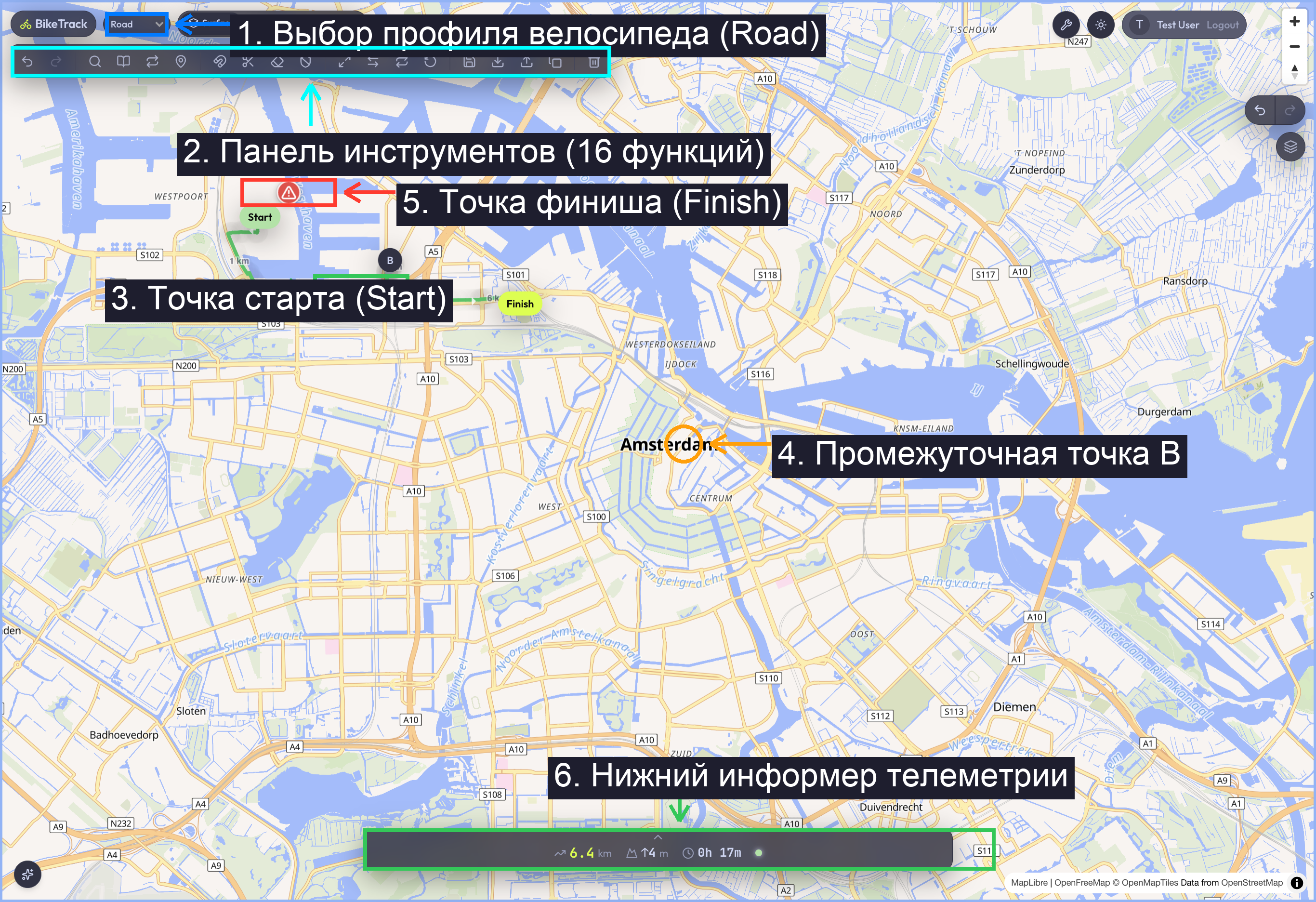
- Undo Button (↩️): Steps backward through the history timeline.
- Redo Button (↪️): Steps forward through the timeline, restoring previously undone states.
- Keyboard Shortcuts:
- Supports standard keystrokes (
Ctrl+Z/Cmd+Zfor undo andCtrl+Y/Cmd+YorShift+Ctrl+Zfor redo) to facilitate quick editing workflows.
- Supports standard keystrokes (
🏗️ Technical Architecture & Key Files
🖥️ State Engine & History Middleware
- State Middleware: Implemented using the
zundotemporal state library wrapped directly aroundusePlannerStore(apps/web/src/entities/route/model/plannerStore.ts). - Volatile vs. Persistent Filtering:
- To prevent memory bloat and UI performance lag,
zundois configured to only track a partialize subset of the store. - Partialize Schema:typescript
partialize: (state) => ({ waypoints: state.waypoints, profile: state.profile, route: state.route, isRoundTrip: state.isRoundTrip, isOutAndBack: state.isOutAndBack, }) - Omitted Volatile Fields: Telemetry and loading fields (e.g.,
hoveredDistanceKm,hoveredSurfaceCategory,selectedDistanceRange,isLoading,error) are explicitly excluded from the partialize filter. This ensures that simply hovering over the elevation profile does not pollute the undo stack. - Equality Comparators: Custom array equality functions (e.g.,
areNumberArraysEqual) check changes to coordinates, segments, and cut indices before pushing new history frames, eliminating duplicate stack items.
- To prevent memory bloat and UI performance lag,
🔌 API Integration & Database Persistence
- Important Design Detail: The Undo/Redo history stack is completely client-side. There are no backend Hono routes or SQL databases involved in maintaining state history.
- The state is stored in memory (
Zundo.temporal.getState()) and is discarded when the page is reloaded.
🧪 Test Suite Coverage & Regressions
🔬 Vitest Unit Tests
apps/web/src/entities/route/model/__tests__/plannerStore.test.ts(Asserts undo/redo historyzundostate capture: validates waypoint capture, profile rollbacks, and verification that volatile telemetry parameters are properly ignored).
🎭 Playwright E2E Tests
apps/web/tests/toolbar-fsm.spec.ts:- Test 1: Verifies toolbar FSM state transitions.
- Test 2: Simulates clicks on the undo button to verify markers disappear, and clicks on redo to restore them.
- Test 3: Simulates pressing keyboard hotkeys (
Cmd+Z/Cmd+Y) to trigger undo/redo.
🐞 Known Issues & Resolved Bugs
- History Bloat during Drags (Resolved): Dragging waypoint markers was generating a history frame on every minor coordinate pixel change, meaning clicking "Undo" once only moved the waypoint back by one pixel instead of reversing the entire drag action.
- The Fix: Implemented a specialized transaction lock inside the drag listeners. History states are only committed on the
dragendmouse release event, grouping the entire drag interaction into a single, clean atomic state frame.
- The Fix: Implemented a specialized transaction lock inside the drag listeners. History states are only committed on the
👣 Step-by-Step Manual Verification
- Start development server and load
http://localhost:3000. - Click three times on the map to create a 3-waypoint route.
- Observe the Undo button in the floating toolbar transitioning from disabled to enabled.
- Click the Undo (↩️) button. Confirm the 3rd waypoint marker and its route line section disappear.
- Click Undo (↩️) again. Confirm the 2nd waypoint disappears, leaving only the start marker.
- Click the Redo (↪️) button twice. Observe both markers and their calculated path geometries rendering back onto the map canvas in the exact order they were created.
- Click the
Command+Z(orCtrl+Z) key on your keyboard. Confirm the history steps backward instantly.