Appearance
📍 Feature 05: Point of Interest (POI) Management & Map Annotations
NOTE
🧭 Navigation: 🧩 Features Index | 🚲 Wiki Home
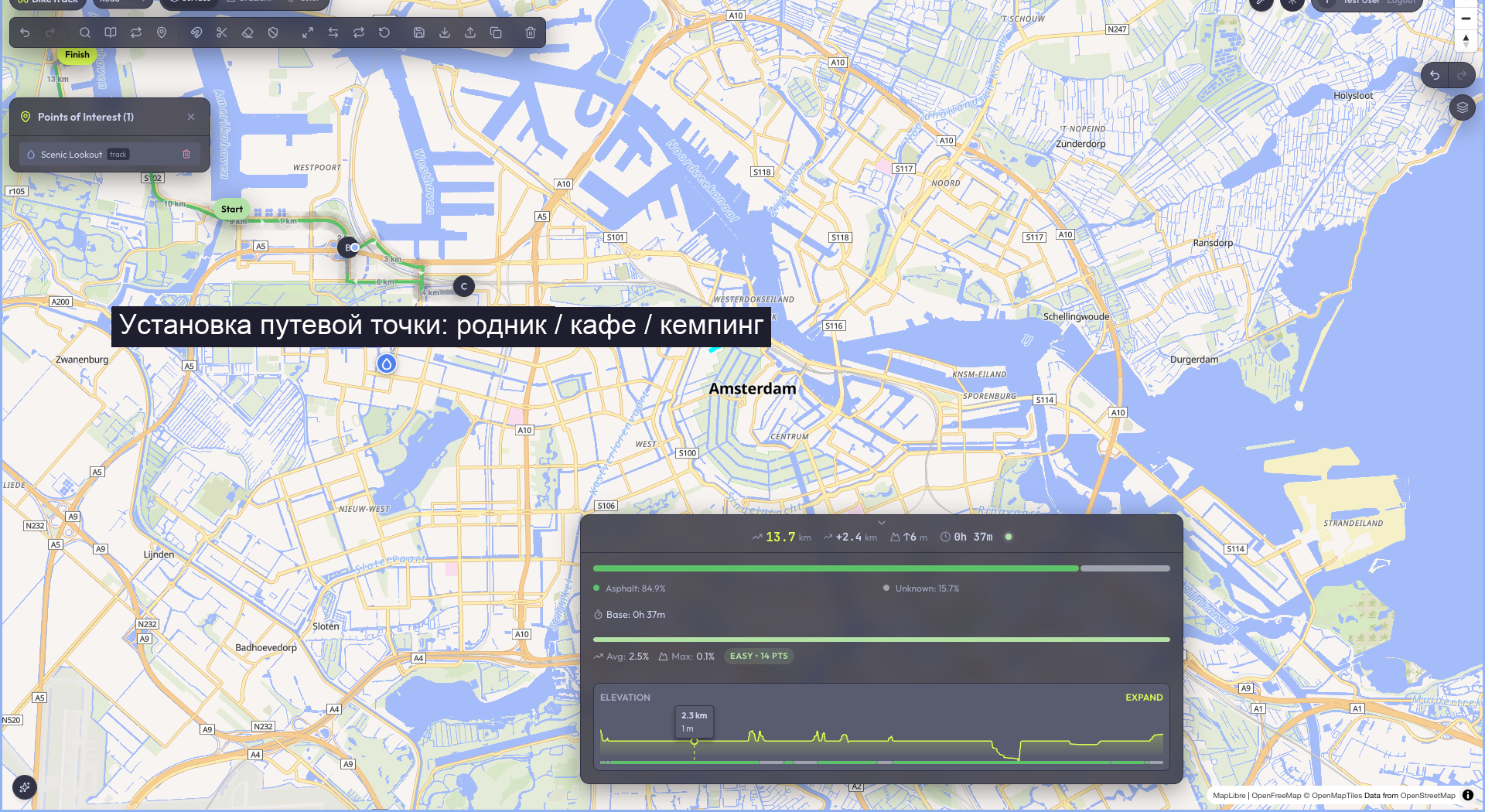
The Point of Interest (POI) module is a global spatial annotation utility. It allows cyclists to mark landmarks (water springs, hostels, viewpoints, bike repair shops) anywhere on the map grid. These annotations exist independently of active routes, facilitating multi-track trip planning and general navigation.
🔍 How it Works (Product perspective)
- Global Map Pinning:
- Unlike route cues, POIs are global landmarks. A user right-clicks or left-clicks anywhere on the map canvas and selects Create POI (Создать точку) to drop a pin.
- Icon & Category Taxonomy:
- The creation popup allows classifying the pin into specialized categories:
- 💧 Water Source (Родник / Вода)
- ⛺ Campsite (Стоянка / Палатка)
- 📸 Scenic Viewpoint (Красивое место)
- 🛒 Store / Cafe (Магазин / Кафе)
- 🔧 Repair Station (Веломастерская / Инструменты)
- The creation popup allows classifying the pin into specialized categories:
- Flexible Scoping:
- Global Scope: Visible on the map canvas across all tracks.
- Route-Locked Scope: Embedded only into a specific saved track, loading only when that track is selected from the library.
- POI Catalog Sidebar:
- A searchable list of all active POIs resides in the sidebar, supporting single-click viewport panning to focus the map directly on the landmark coordinates.
- Interactive Controls:
- Features a 3-second self-resetting double-confirmation delete flow to protect against accidental clicks.
- Implements network submission locks to prevent double-click creation issues.
🏗️ Technical Architecture & Key Files
🖥️ Frontend State & UI Components
- UI Widgets:
apps/web/src/widgets/poi-panel/(POI list filters, searches, and creation panels).apps/web/src/widgets/map-canvas/ui/MapPopups.tsx(contains the custom form componentsPoiCreateFormandPoiViewCard).
- Zustand State Store:
usePoiStoreinapps/web/src/entities/poi/model/poiStore.ts.- Slice Fields:
pois: Poi[](array of loaded landmarks).activePoiId: string | null(currently clicked POI).filters: { category: string[] }(currently active checkbox filtering criteria).- deletion confirmation flags for safe destructive actions.
- Slice Fields:
🔌 API Integration & Core Services
- Hono API Routers:
POST /api/poi(creates POI with coordinate parsing and validation checks).GET /api/poi(lists POIs. Supports PostGIS bounding box filters:minLng,minLat,maxLng,maxLatparsed from URL params).GET /api/poi/route/:routeId(fetches only landmarks locked to a specific track).PATCH /api/poi/:id(updates pin description, name, category, or coordinate offset).DELETE /api/poi/:id(removes individual POIs checking user ownership).
💾 Database Schema (Drizzle & PostgreSQL)
- Table:
poisinapps/api/src/db/schema.ts. - Drizzle Mapping:typescript
export const poiTypeEnum = pgEnum('poi_type', ['WATER', 'FOOD', 'HAZARD', 'VIEWPOINT', 'CAMPING', 'GENERAL']);

export const pois = pgTable('pois', {
  id: uuid('id').defaultRandom().primaryKey(),
  userId: text('user_id').references(() => users.id, { onDelete: 'cascade' }),
  name: text('name').notNull(),
  type: poiTypeEnum('type').notNull().default('GENERAL'),
  coordinates: jsonb('coordinates').$type<[number, number]>().notNull(),
  description: text('description'),
  scope: text('scope').notNull().default('global'), // 'global' | 'route'
  visibility: text('visibility').notNull().default('private'), // 'public' | 'private'
  routeId: uuid('route_id').references(() => tracks.id, { onDelete: 'cascade' }),
  createdAt: timestamp('created_at').defaultNow().notNull(),
});
🧪 Test Suite Coverage & Regressions
🔬 Vitest Unit Tests
apps/web/src/entities/poi/model/__tests__/poiStore.test.tspoiService.test.ts,poiLoadPois.test.ts,poiStoreTracking.test.tsapps/api/src/routes/__tests__/poi.router.test.ts- Validates Zod validations for coordinate tuples, category enums, multi-user isolation rules, and spatial query parsing.
🎭 Playwright E2E Tests
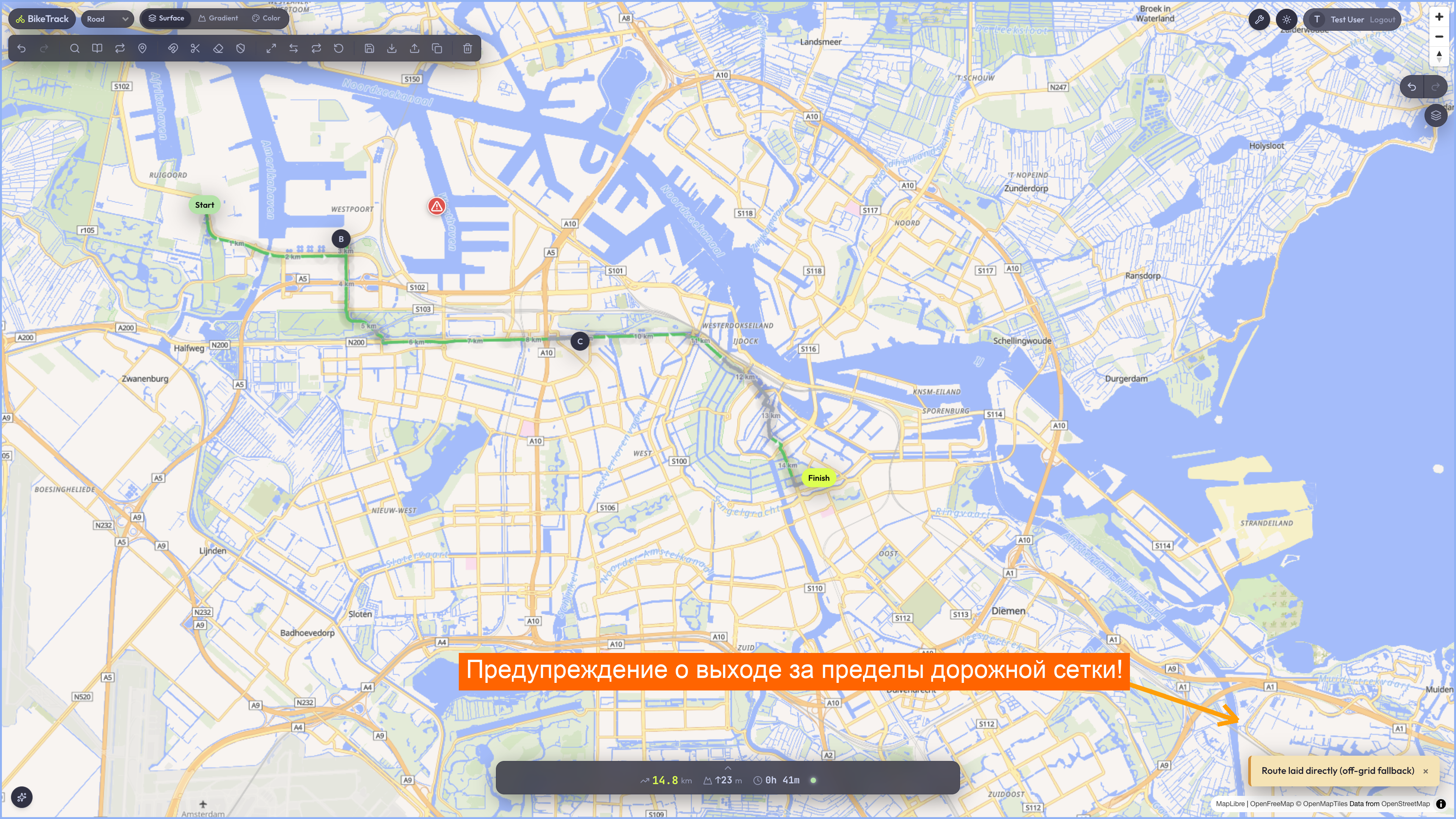
apps/web/tests/visual-poi-navigation.spec.ts(Asserts dropping points, filtering by campsites, and the double-confirmation delete).apps/web/tests/off-grid.spec.ts(Validates placing POIs off-road does not impact routing engine queries).
🐞 Known Issues & Resolved Bugs
- Accidental POI Deletions (Resolved): Direct clicks on "Delete" inside
PoiViewCardcaused immediate loss of placed landmarks.- The Fix: Embedded the premium 3-second self-resetting double-confirmation pattern in
MapPopups.tsx.
- The Fix: Embedded the premium 3-second self-resetting double-confirmation pattern in
- Submit Double Clicks (Resolved): Rapid double clicks during network latency spawned identical duplicate POI pins.
- The Fix: Embedded complete
submittingstate trackers that lock input fields and transition the CTA button text to"Saving POI...".
- The Fix: Embedded complete
👣 Step-by-Step Manual Verification
- Start development server and navigate to
http://localhost:3000. - Left-click anywhere on the map grid where there is no route line.
- In the context popup, select Create POI (Создать точку).
- Fill in the name "Scenic Lake View", select the ⛺ Campsite icon, and click Save.
- Confirm that the campsite icon appears on the map canvas.
- Click the POI icon to view details. Click Delete once. Verify the button style transitions into an active red danger state reading
"Confirm Deletion". - Click the button a second time within 3 seconds, and confirm the campsite pin disappears from both the map canvas and the sidebar catalog.